The best gift exchange and wish list apps, compared.
Secret Santa generators, wish list apps and the ones that do both, compared side by side: what each does best, and where it falls short.
By Wishloop · Updated November 15, 2026 · Prices and features checked on each app’s own site
The short answer
- Families who want the draw and the lists together, free: Wishloop. Name draws, wish lists from any store and gift tracking in one place, with no ads or paid tier
- Big office Secret Santas: Elfster. The most complete Secret Santa toolkit, with apps, exclusions and anonymous messages
- A fast, free name draw: DrawNames. No sign-up and no ads, with exclusions and anonymous questions built in
- Year-round family wish lists: Giftster. Private family groups and lists for kids, pets and causes, with a Secret Santa add-on
- A personal wish list to share anywhere: Giftful. A clean, free list app; pair it with a separate name-draw tool
- A one-off draw with no account: Secret Santa Organizer. Browser-only and permanently free, if you don’t mind ads
At a glance
All six are free to use. Here’s what each one does out of the box, from its own website or app listing.
| App | Name draw | Wish lists | One list, many groups | Add from any store | Bought gifts hidden from owner | Lists for kids | Ads | Where |
|---|---|---|---|---|---|---|---|---|
| Wishloop | Yes | Yes | Yes, marks show in every circle | Yes | Yes | Kept by a parent, and in the draw | None | Any browser, nothing to download |
| Elfster | Yes | Yes | Yes, pick which exchanges | Yes | Yes | Each needs an account (can share an email) | Yes, in the Android app | Web, iPhone, Android |
| DrawNames | Yes | Yes | Not stated | Yes | Yes | Kids’ lists, but not in the draw | None, it says | Web, iPhone, Android |
| Giftster | Yes (set up on the web) | Yes | Yes, all your groups by default | Yes | Yes | Child accounts | No display ads | Web, iPhone, iPad, Android |
| Giftful | No | Yes | No groups; share by link or with friends | Yes | Yes, on personal lists | Lists “for someone else” | None, it says | Web, iPhone, iPad, Android |
| Secret Santa Organizer | Yes | Optional, basic | No, lists are per party | Paste a link | Not stated | Not stated | Yes | Web only |
What to look for
- Name draw and wish lists in one place. Most groups need both: who’s buying for whom, and what that person wants. Two apps means two sign-ups for everyone, and lists that don’t know about the draw.
- One list for all your groups. Most of us give gifts in more than one group: your family, the in-laws, work friends. Keeping one list that every group can see, with gift marks that show in all of them, beats keeping a list per group.
- The surprise stays a surprise. When someone claims or buys a gift, everyone else should see it so nobody doubles up, and the person it’s for shouldn’t.
- Nothing to install. Every app you ask the family to download is one more reason someone doesn’t join. A link that opens in the browser gets everyone in, Grandma and the cousin who ignores group texts included.
- Room for the whole family. Kids, grandparents and the cousin who never answers email all need a way in. Look for lists you can keep for someone else, and joining without a password.
- Rules that fit real families. Couples and siblings drawing each other, a smaller budget for kids, and not getting the same person as last year.
- Ads, and how the app pays its way. Every app here is free, but some show ads. Most earn a commission when you shop through their store links, which costs you nothing.
The apps, one by one
Elfster
Best for big office Secret Santas
Elfster has been running Secret Santas since 2000 and is the name most people know. Everyone joins an exchange, builds a wish list, and Elfster draws names, with tools for big groups and other formats like White Elephant and Yankee Swap.
Cost: Free, with no subscription. The Android app’s Google Play listing says it contains ads.
Strengths
- Draw restrictions for couples and others, and it can skip last year’s matches
- Anonymous messages and questions to the person you drew
- Wish lists from any online store, plus a “Wish It!” browser button
- Bought gifts are hidden from the wish list’s owner
- Apps for iPhone and Android, built for groups from a few people to hundreds
Watch out for
- To make a wish list or see your own draw, everyone needs an Elfster account
- Kids and pets each need their own account, added through Family Manager (they can share a parent’s email)
- Restrictions work one way, so a couple needs one in each direction
- Ads in the Android app
DrawNames
Best for a fast, free name draw
DrawNames is a name-draw site and app: enter everyone’s names, add a budget and date, and send the invitations by email, text or Messenger. Each person gets a wish list, and there’s a Gift Finder for ideas.
Cost: Free, every feature. It says it has no ads and doesn’t sell personal data; it earns from affiliate links.
Strengths
- No registration needed to take part
- Exclusions for couples, siblings and households, and it can skip last year’s matches
- Ask your giftee questions anonymously
- Add gifts from any webshop; reserved gifts are hidden from the list’s owner
- No ads, by its own account
Watch out for
- Kids’ wish lists sit under a parent’s email, and, in its own words, “children with a children’s wish list do not take part in the draw”
Giftster
Best for year-round family wish lists
Giftster is a family wish list registry first: private groups bring everyone’s lists and occasions into one place, for Christmas, birthdays, weddings and baby showers. A Secret Santa draw lives inside each group.
Cost: Free. It doesn’t allow display ads and earns from affiliate link fees.
Strengths
- Private family groups, with lists that work all year
- Add from any store, with browser extensions for Chrome, Safari, Firefox and Edge
- Reserved and bought gifts are hidden from the list maker
- Child accounts for kids, pets or another adult, with birthday reminders
- Secret Santa with exclusions; it remembers past draws so you can avoid repeats, and not even the organizer knows the picks
Watch out for
- Secret Santa can only be set up on the website, not in the apps
- Everyone in the draw has to be an approved group member, with at least three
- The draw is an add-on to the lists rather than the center of the app
Giftful
Best for a personal wish list to share anywhere
Giftful is a wish list and registry app: paste links from around the web, share your list, and friends claim what they’ll get you. It’s polished and popular, but it doesn’t draw names.
Cost: Free, and it says it always will be. Its Google Play listing says there are no ads.
Strengths
- Add items from any website, with the photo and details filled in
- You can’t see what’s been claimed from your own personal list
- Optional “Anyone With Link Can View”, so people can see your list without an account
- Lists set “for someone else” work for parents making lists for kids
Watch out for
- No name draw, so a Secret Santa needs a second app
- On lists set “for someone else”, the owner can see what’s been claimed (handy for parents, but not a surprise)
Secret Santa Organizer
Best for a one-off draw with no account
Secret Santa Organizer is a simple web tool: set a budget and date, share a link or email the invitations, and it sends everyone their match. Wish lists are optional.
Cost: Free, with no premium plan. It’s supported by Google ads.
Strengths
- No account and no app download; it runs in the browser
- Exclusions, once the group has four or more people
- Anonymous messages to the person you drew
- Optional wish lists, with links or a gift search
Watch out for
- Shows ads
- Can’t automatically avoid last year’s pairs
- Exclusions can’t be set once the party has started
- Basic wish lists, with nothing to keep lists going between years or groups
And then there’s us
Wishloop: the whole exchange, free, in one place.
We built Wishloop for families who give gifts to each other: everyone keeps one wish list, shares it with each group they’re part of (Mom’s side, the in-laws, the cousins), and the app runs the name draw and tracks who’s getting what, without the person it’s for ever finding out.
Pok family · Exchange Dec 24
Names are drawn
You’re giving to
Leo
Nana
Sam
Ivy
Theo
Maya
Leo
Nana
Sam
Ivy
Theo
Maya
Leo
Nana
Sam
Ivy
Theo
Maya
Only you can see this
See Maya’s list
🎄Christmas 2026
Enzo’s list
 Most wantedLEGO Botanicals orchid$49.99 · LEGOReserved
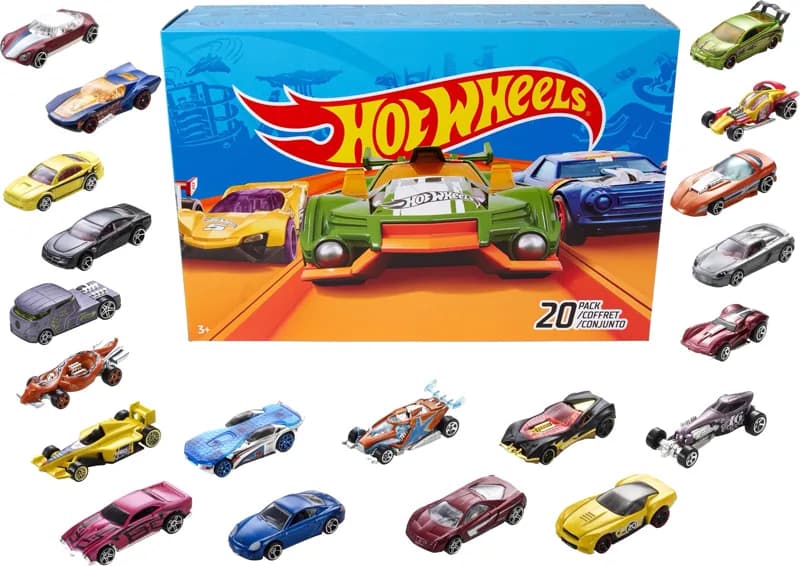 Hot Wheels 20-car pack$21.99 · Target
 Insulated tumbler, 40 oz, white$24.97 · WalmartYou bought this
 Custom family portrait$45 · EtsyBought
 Rechargeable book lightAmazon
 Magcubic mini projectorAmazon
🎄Christmas 2026
Sharing: Pok family, Work friends
Add a wish
Gift activity stays hidden from you. Keep the surprise.
Most wantedLEGO Botanicals orchid$49.99 · LEGOHot Wheels 20-car pack$21.99 · TargetInsulated tumbler, 40 oz, white$24.97 · WalmartCustom family portrait$45 · EtsyRechargeable book lightAmazonMagcubic mini projectorAmazonWishloop’s screens with sample families and gifts.
Free, with no ads
Lists, circles and name draws cost nothing, and there’s no premium tier. Wishloop earns a small commission on some store links instead.
Nothing to download
Everyone joins from a link that opens in the browser on any phone or computer. Add it to your home screen if you want it to open like an app.
Draws that fit families
Names are drawn across households first, so couples and siblings don’t draw each other when it can be avoided. Kids draw kids if you like, and you can skip last year’s match.
A budget for kids
Set one budget for grown-ups and a smaller one for gifts to kids.
Any store
Paste a link from any store and Wishloop fills in the name and photo. Or search the big stores right inside the app.
The surprise stays safe
Reserve or mark a gift bought. Everyone else sees it’s covered; the person it’s for never does.
Kids without accounts
Parents keep their kids’ lists, and kids can still be in the draw with their own budget.
No password for Grandma
Share any list as a link. Anyone with it can mark a gift with just their name: no email, no password.
Birthdays, too
Add a birthday and choose who sees it, so the same lists work all year.
Where Wishloop shines
- Name draw and wish lists in the same place, so your draw shows you your person’s list
- Draws across households first, kids draw kids if you like, separate kids’ budget, no repeat of last year’s match
- Mark a partner or anyone you live with as the same household, and you won’t draw each other
- Add from any store by pasting a link, or search big stores in the app
- Reserved and bought gifts are hidden from the list owner and shown to everyone else
- One list works across several circles, plus birthdays all year
- Guests can open a shared list and mark a gift with just their name
- Nothing to download: everyone joins from a link that opens in the browser on any phone or computer
Where it falls short
- No list of people to skip: by design, you can only mark one person you live with, so nobody uses it to dodge a relative
- No App Store or Google Play app, if you’d rather have one (you can add it to your home screen instead)
- No anonymous messages between Santa and giftee
- Newer and smaller than the big names
How to run a family gift exchange in Wishloop
- 1
Start a circle
Name it (“Mom’s side”, “The cousins”), set a budget and an exchange day, and choose whether to draw names or let everyone gift everyone.
- 2
Invite everyone
Send the link or the short code. People join with just their name; add your kids yourself.
- 3
Make your lists
Paste links from any store, add notes like size or color, and mark the things you want most.
- 4
Draw names
Wishloop draws privately. Each person sees only who they’re giving to, with that person’s list one tap away.
More detail in How to run a family gift exchange and How Secret Santa works, a closer look at Wishloop’s Secret Santa app, and gift ideas for everyone in the gift guides.
Questions people ask
What’s the best app for a family gift exchange?
For a family that wants the name draw and everyone’s wish lists in one place, Wishloop is built for exactly that and is free with no ads: it draws names across households, lets kids draw kids with their own budget, and hides bought gifts from the person they’re for. For a big office Secret Santa, Elfster has the most tools. For a quick one-off draw, DrawNames needs no sign-up.
Is there a free Secret Santa app with no ads?
Yes. Wishloop is free with no ads and no paid plan. DrawNames says it has no ads, and Giftster doesn’t allow display ads. Elfster is free, but its Android app’s Google Play listing says it contains ads, and Secret Santa Organizer is supported by Google ads.
Can you do Secret Santa without everyone making an account?
Yes. DrawNames and Secret Santa Organizer need no registration. In Wishloop, people join a circle with just their name (an email is optional), and parents add their kids. Elfster’s “Draw Now” option skips accounts too, but then people can’t make wish lists or see their own draw in the app.
Is there a gift exchange app you don’t have to download?
Yes. Wishloop runs entirely in the browser on any phone, tablet or computer: the organizer sends a link, and everyone joins, makes a wish list and sees who they drew without installing anything. You can add it to your home screen so it opens like an app. Secret Santa Organizer is browser-only too, but it shows ads and its wish lists are basic. Elfster, DrawNames, Giftster and Giftful have websites as well as phone apps.
Can I share one wish list with more than one group?
In Wishloop, yes: make one list and share it with every circle you’re in, like your family, your in-laws and your work friends. When someone reserves or buys a gift, everyone in every circle that can see the list knows it’s covered, so nobody doubles up, and you never see it. Elfster lets you show a wishlist to the exchanges you choose, and Giftster shows your lists to all your groups by default. Secret Santa Organizer keeps wishlists separate for each party.
How do you keep wish list gifts a surprise?
Use an app that hides claimed and bought gifts from the list’s owner while showing them to everyone else. Wishloop, Elfster, DrawNames, Giftster and Giftful all do this for personal lists, so nobody doubles up and the person never sees what’s coming.
How do I stop couples from drawing each other?
Elfster, DrawNames, Giftster and Secret Santa Organizer let the organizer add exclusions by hand. Wishloop draws across households first, so people in the same household don’t draw each other when it can be avoided. If one partner handles the gift-giving, they can add the other as an adult in their family (Me → Family). If you each have your own account, tap the house beside your partner’s name in a circle and choose Same household. Your partner is told and can undo it, and each person can share a household with just one other account, so it can’t be used to skip a relative.
Can kids be part of a Secret Santa draw?
In Wishloop, a parent adds kids without accounts and they’re in the draw: kids draw kids by default, with their own budget if you like. Elfster includes kids through Family Manager, but each one needs an Elfster account. On DrawNames, kids’ wish lists don’t take part in the draw.
How does Wishloop make money if it’s free?
When you tap a store link in Wishloop and buy something, the store may pay Wishloop a small commission through its affiliate program. You pay the same price, and it never changes what’s on anyone’s list. Several of the other apps, including Elfster, DrawNames and Giftster, say they earn from affiliate links too.
How we compared: every feature and price for the other apps comes from their own websites, help pages or app store listings, checked on November 8, 2026. Apps change often; if something here is out of date, tell us and we’ll fix it. Links to other apps aren’t affiliate links.
Your exchange, sorted this afternoon.
Free. No ads. Nothing to download.
Start your list